6 Ways to Manage Your Fusion Data With Fusion Twin Platform
Fusion Twin Platform, fusiontwin.io, redefines fusion research by offering unparalleled access to precise tokamak simulations. Using the NSFsim simulator and validated digital replicas of leading tokamaks — such as DIII-D, ISTTOK, SMART, NSF NTT, and others (coming soon) — we enable scientists, engineers, and students to conduct complex, customizable simulations directly from their browser. No specialized hardware, software, or infrastructure is required, making high-quality fusion research accessible to all.
Our ambitious roadmap includes adding digital replicas of more tokamaks, expanding simulation capabilities with discharge scenario development and disruption prediction and analysis modules, integrating fusion data from multiple sources, developing educational modules, and introducing many useful features to empower researchers, students, and enthusiasts to innovate and contribute to the growing fusion energy industry.
In this article, we share how the Fusion Twin Platform already equips you with powerful tools to manage, analyze, and share fusion data. Here are 6 things you can do with your data on the platform:
1. Upload and map data for visualization
Files page allows you to upload your experimental data in HDF5 format, the most common file type in fusion research. All uploaded files are safely stored on our servers and are available to you and anyone you choose to share them with.
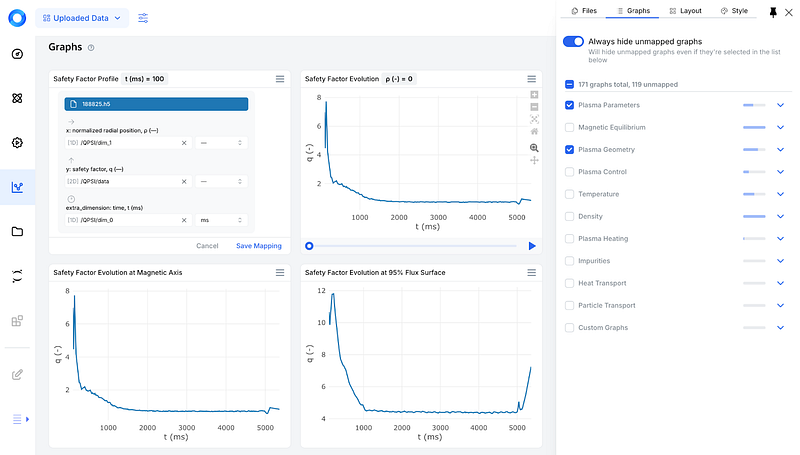
Once the HDF5 file is uploaded, the platform’s automatic data mapping mechanism identifies variables and maps them to predefined graphs, allowing you to immediately browse your data as a set of predefined plots corresponding to the most important plasma physics variables, such as Safety Factor, Poloidal Beta, Internal Inductance, Plasma Current, Poloidal Flux, and more than a hundred others.
If the automatic process doesn’t map everything, you can manually assign data to the plots using the intuitive mapping interface, accessible directly from the graph widget. This includes selecting variables for the axes and adjusting visualization parameters. The mapped data is immediately ready for exploration through customizable plots.
2. Visualize or download simulated data
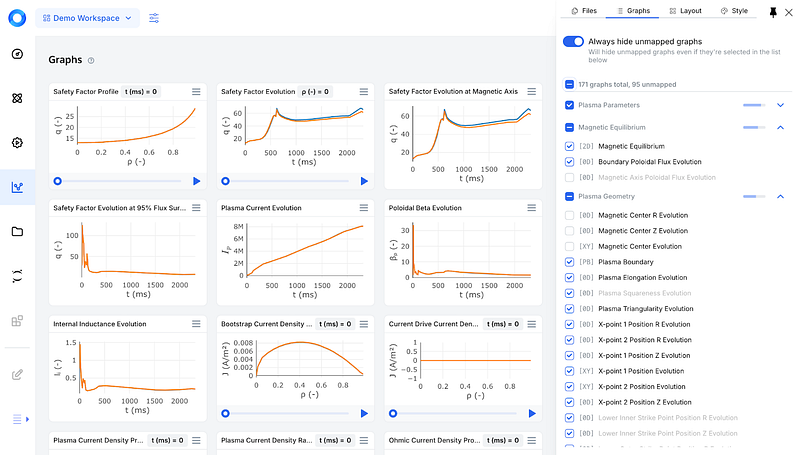
Simulated data from NSFsim is automatically mapped to plots corresponding to various plasma physics variables. The Graphs tool offers groups like Plasma Parameters, Temperature, Density, and Magnetic Equilibrium, making it easy to analyze, navigate, and customize the visualization scope.
You can select two or more simulated or uploaded files to visualize them on the same plots, enabling you to compare experimental and simulation results.
Once a simulation is completed, the corresponding HDF5 file, containing all input and output parameters, appears on the Files page, where you can download it for external analysis.
3. Save any graph as a picture
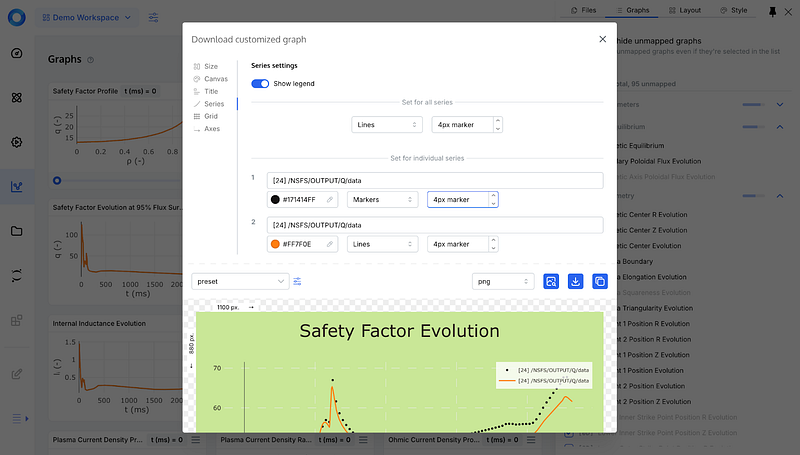
When the data is mapped to a specific plot, you can easily download it as an image. Currently, PNG, JPEG, SVG, and WEBP file formats are supported.
A highly customizable download tool allows you to adjust almost everything: width, height, scale, background color, font color and size, title text and font, and many other settings. The embedded preview feature shows all changes in real time as you make them.
Once you’re satisfied with the image, you can download it in any of the supported formats and save the settings for future use.
4. Access and transform data via JupyterHub
The platform organizes data into workspaces, making it accessible and secure while offering flexibility for customization through the integrated JupyterHub.
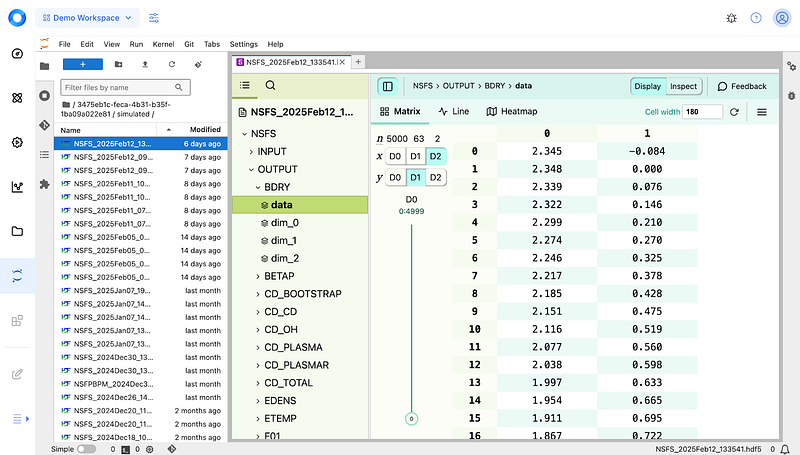
Navigate to Jupyter to access all uploaded, mapped, and simulated files. The HDF5 JupyterHub plugin allows you to browse each file’s contents by simply clicking on the file.
You can create Python notebooks to transform data as you wish, all powered by the Fusion Twin Platform’s flexible cloud infrastructure.
5. Share Data with Collaborators (Viewers and Editors)
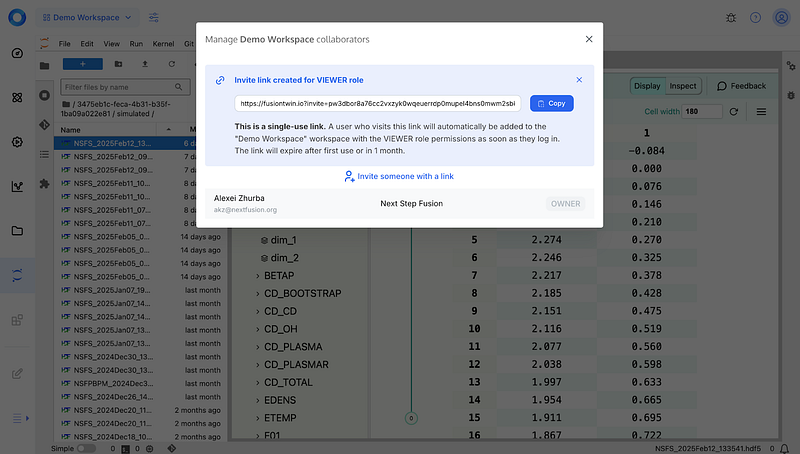
The platform fosters collaboration by allowing you to share workspaces with others. Once you’re ready, simply navigate to the Workspace > Manage Collaborators menu, choose a role for your collaborator, and don’t forget to send them the invitation link.
This feature is ideal for research teams or academic groups working on shared projects.
6. Share Data via Public Link
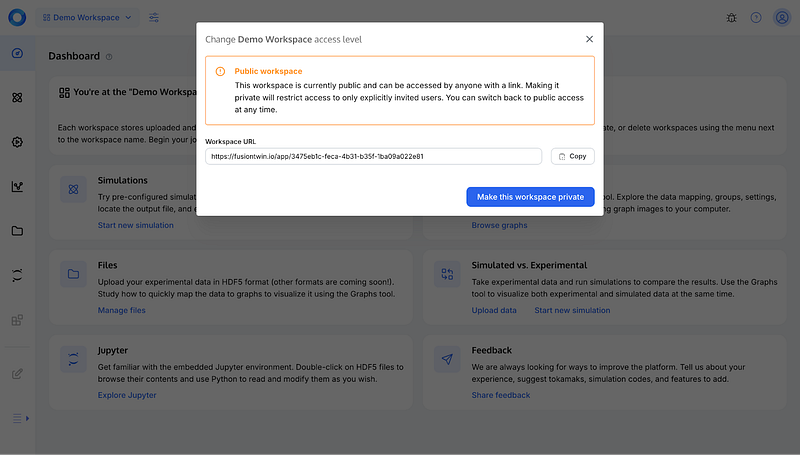
For wider dissemination, you can generate public links to your visualized data or simulation results. These links are particularly useful for sharing research outcomes in presentations, at conferences, or with external collaborators.
These easy-to-use tools give you full control over your fusion data. We believe they will enable fusion researchers to work more easily and efficiently, collaborate with their teams, and advance fusion energy research.
Fusion Twin Platform, fusiontwin.io, is more than just a simulation tool — it’s a comprehensive digital ecosystem designed to streamline fusion research, foster collaboration, and accelerate discovery. By eliminating the need for specialized infrastructure and making powerful simulations and data tools accessible through the cloud, we empower scientists, engineers, and students to focus on what truly matters: advancing fusion energy.
As we continue expanding the platform with more digital replicas, new types of simulations, public API, and new collaborative features, we invite researchers, institutions, and fusion enthusiasts to join us on this journey.
Follow our blog, subscribe to our LinkedIn for regular updates and newsletter, or reach out to us directly to discuss potential collaborations.